Make a 3D printed city map with buildings, streets and parks.
Search for a downtown or a neighborhood, turn on City features, and download files for your slicer. Buildings, roads, water and greenery each come as their own part, ready for a multi-color print.
Pay what you want. Digital files. No account.
What goes into the model
- Buildings
- Each footprint becomes a block as tall as its recorded height, true to the model's scale. A building height setting exaggerates them. Buildings without a recorded height get a low default.
- Roads
- Major and residential streets as raised strips, widened where needed so they print.
- Water
- Rivers, lakes and the sea as a thin layer on the terrain.
- Greenery
- Parks, woods, gardens and other green spaces.
- Terrain
- The ground under the city, from the elevation source credited with your download, with rooftop bumps removed from surface elevation data.
Two worked examples
A downtown keeps every building; a whole marathon course merges them into city blocks. Both are real studio models, with the settings used.
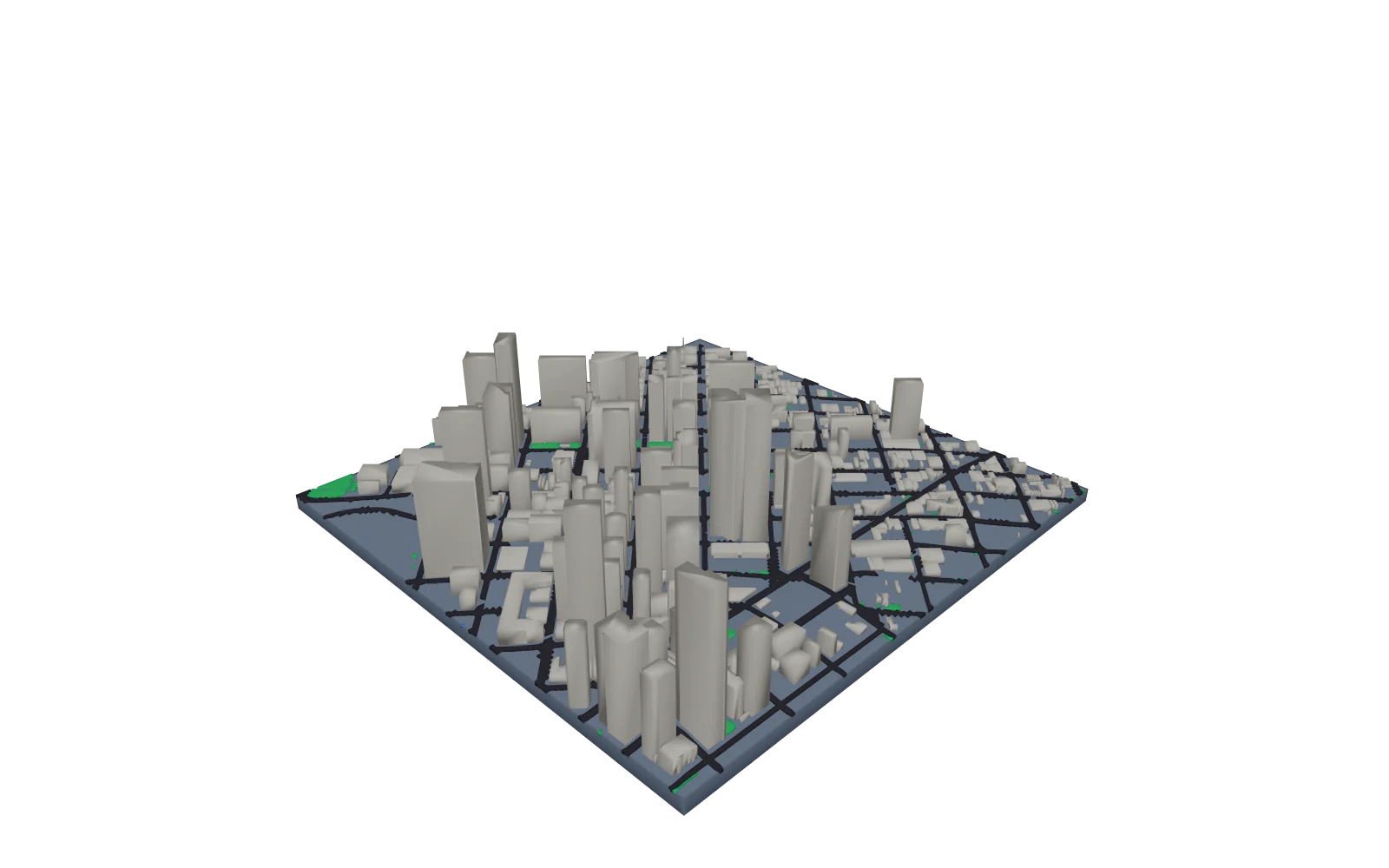
Downtown Denver, about 1.3 km across
- City
- City features on. Under 5 km across, each building stands alone
- Relief
- Terrain height 4 mm
- Buildings
- 1.5 times their recorded height
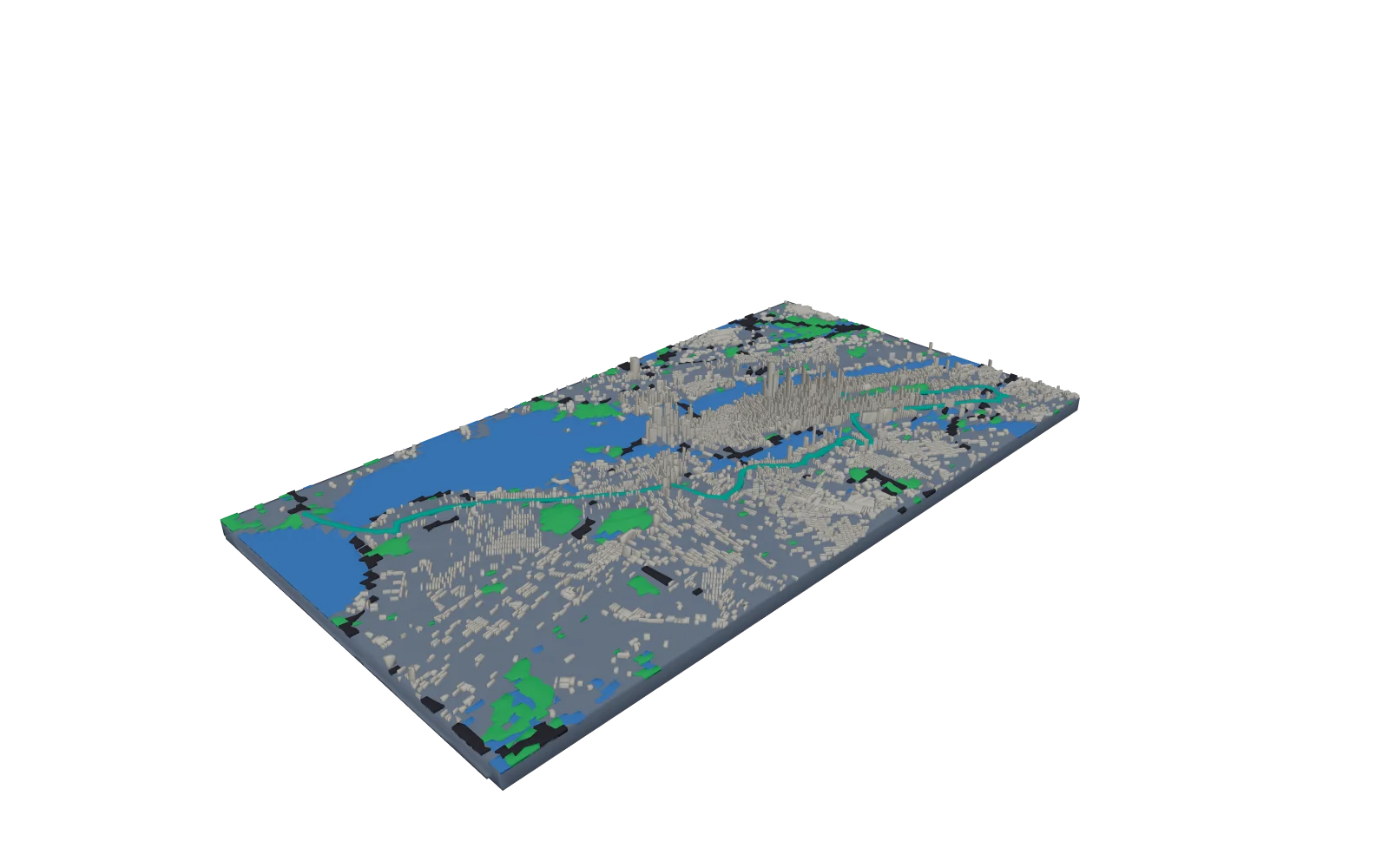
New York City Marathon course
- City
- City features on. Over 5 km across, buildings merge into blocks
- Size
- 250 mm, terrain height 6 mm
- Buildings
- 4 times their recorded height
- Base
- Raised elevation profile on the front wall
Map data © OpenStreetMap contributors, Overture Maps Foundation
How to make a 3D printed city map
- Step 1
Choose a city area
Search for a downtown, a neighborhood or a whole city up to 30 km across, then choose the 3D Terrain Model.
- Step 2
Turn on City features
In Map features, turn on City features and set Building height. Adjust the terrain height under Terrain while the preview updates.
- Step 3
Generate STL and 3MF
Select Review & export and generate the files. The 3MF keeps buildings, roads, water and greenery as named parts.
- Step 4
Assign filaments and print
Open the 3MF in your slicer, give each part a filament, and print the model flat on its base.
Print it in color or in one piece
The 3MF file holds the terrain and each city layer as parts of one object, so they stay in place when you open it in Bambu Studio, OrcaSlicer or PrusaSlicer. Assign a filament to each part for a multi-color print.
For a single-color print, use the combined STL, which merges every part. A separate STL for each part is included too.
Print settings
- Nozzle
- 0.4 mm, the usual default. City buildings are made at least 1 mm wide and roads at least 0.6 mm so they print with it.
- Layer height
- 0.12 to 0.16 mm for gentle hills and plains, where thin layers smooth the steps between elevations. 0.2 mm is fine for steep mountains.
- Supports
- Usually none. Print the model flat on its base, the way it is exported.
- Infill
- 10 to 15% is plenty for a display piece. Add a few top layers if gentle slopes show gaps.
- Size
- 200 mm on the longest side by default, from 50 to 500 mm. Import in millimeters, because STL stores no units. For a model larger than your bed, split it into tiles under Printing; they join with bowtie keys.
- Color
- Use 3MF to give a separate route, water or city layer its own filament. With one extruder, add filament changes at chosen layer heights in your slicer for color bands by elevation.
Good to know
- City features work for areas up to 30 km across.
- Above about 5 km across, buildings merge into their city blocks, each block a crisp slab at the height of its tallest building with the streets left as gaps, and only expressways print as roads.
- Buildings are simple blocks, not detailed replicas: there are no roof shapes, spires or facades.
- Map data comes from Overture Maps and OpenStreetMap contributors. Coverage and building heights vary by city.
- A GPX route through the city stays visible: buildings and streets leave room for it.
Only want the landscape? See 3D printed topographic maps.
Want the same streets flat on the wall? Make a city map poster.
Questions about 3D printed city maps
Can I 3D print a map of my city?
Yes, for an area up to 30 km across: a neighborhood, a downtown or a whole city. Search for the place, choose the 3D Terrain Model and turn on City features under Map features.
Is the 3D city map free?
Downloads are pay what you want, including $0, and you do not need an account.
Which cities are covered?
Any place covered by Overture Maps, which combines OpenStreetMap with other open data. Building footprints are widely available; recorded building heights are more complete in large cities.
Why are some buildings the same height?
When a building has no recorded height or floor count, it gets a default of about two stories.
Which file should I use for a multi-color print?
Use the 3MF file. Each city layer is a named part of one object, so you can give buildings, roads, water and greenery their own filament.
What nozzle do I need for a 3D printed city map?
A standard 0.4 mm nozzle. Buildings are made at least 1 mm wide and roads at least 0.6 mm so they print with it. Above about 5 km across, buildings merge into city blocks.
Do you ship printed city models?
No. Printed Canyon makes the digital files. Print them on your own 3D printer or with a 3D printing service.