Make a 3D printed topographic map of a place you love.
A 3D printed topographic map is a raised model of the terrain. Printed Canyon creates STL and 3MF files from a place, country, US state or GPX route. Download for $0, then print the model yourself or with a 3D-printing service.
Pay what you want. Digital files. No account.
Start with the terrain you want
Search a place
Search for a mountain, park, city or town. The model is framed around the place you choose.
Enter coordinates
Enter a latitude and longitude to center the model on a spot without a searchable name.
Pick a country or state
Choose a country or US state for a model of all of it, cut to its outline.
Start from a famous place
Open a curated state, trail or landmark with the area already set, then choose the 3D Terrain Model.
Upload a route
Add a GPX file from a hike, ride or run to trace the route across the terrain.
Have a recorded route? See GPX to STL for route-based terrain models.
Worked examples
Three finished models and the settings behind them. Open one to start from the same area.
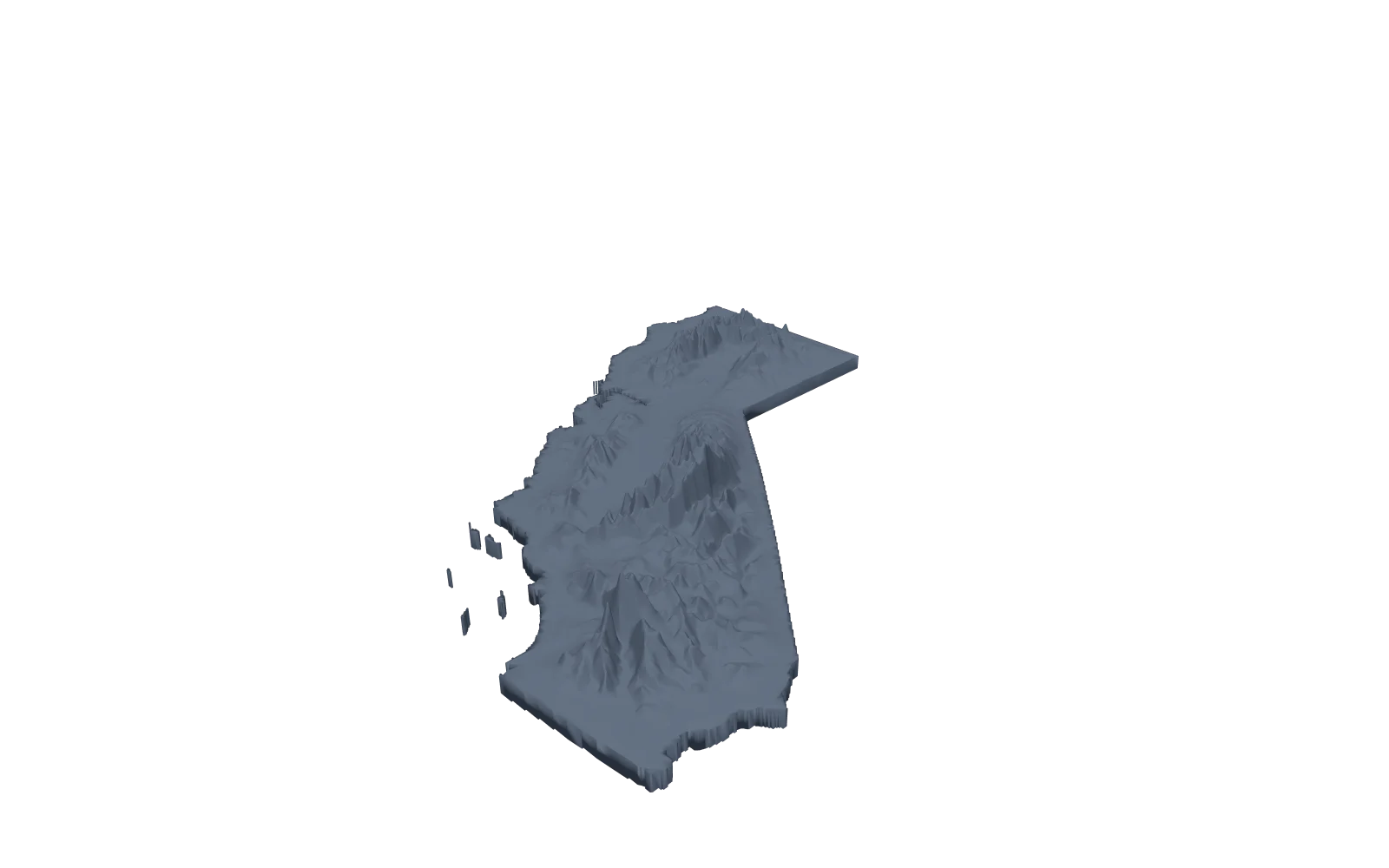
California, a whole state
- Area
- California, picked under Country or state
- Shape
- The state outline
- Files
- STL and 3MF
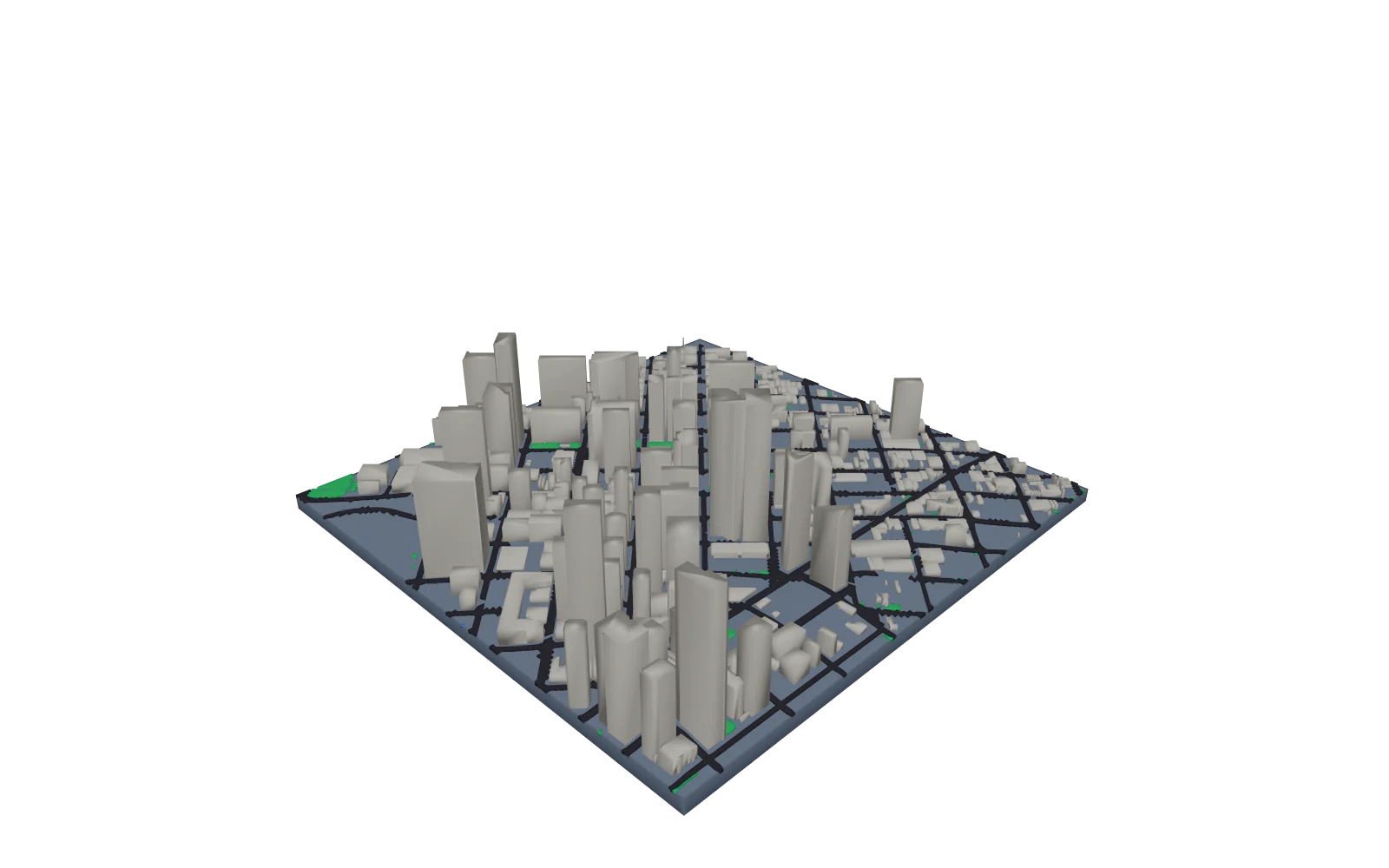
Downtown Denver, about 1.3 km across
- City
- City features on. Under 5 km across, each building stands alone
- Relief
- Terrain height 4 mm
- Buildings
- 1.5 times their recorded height
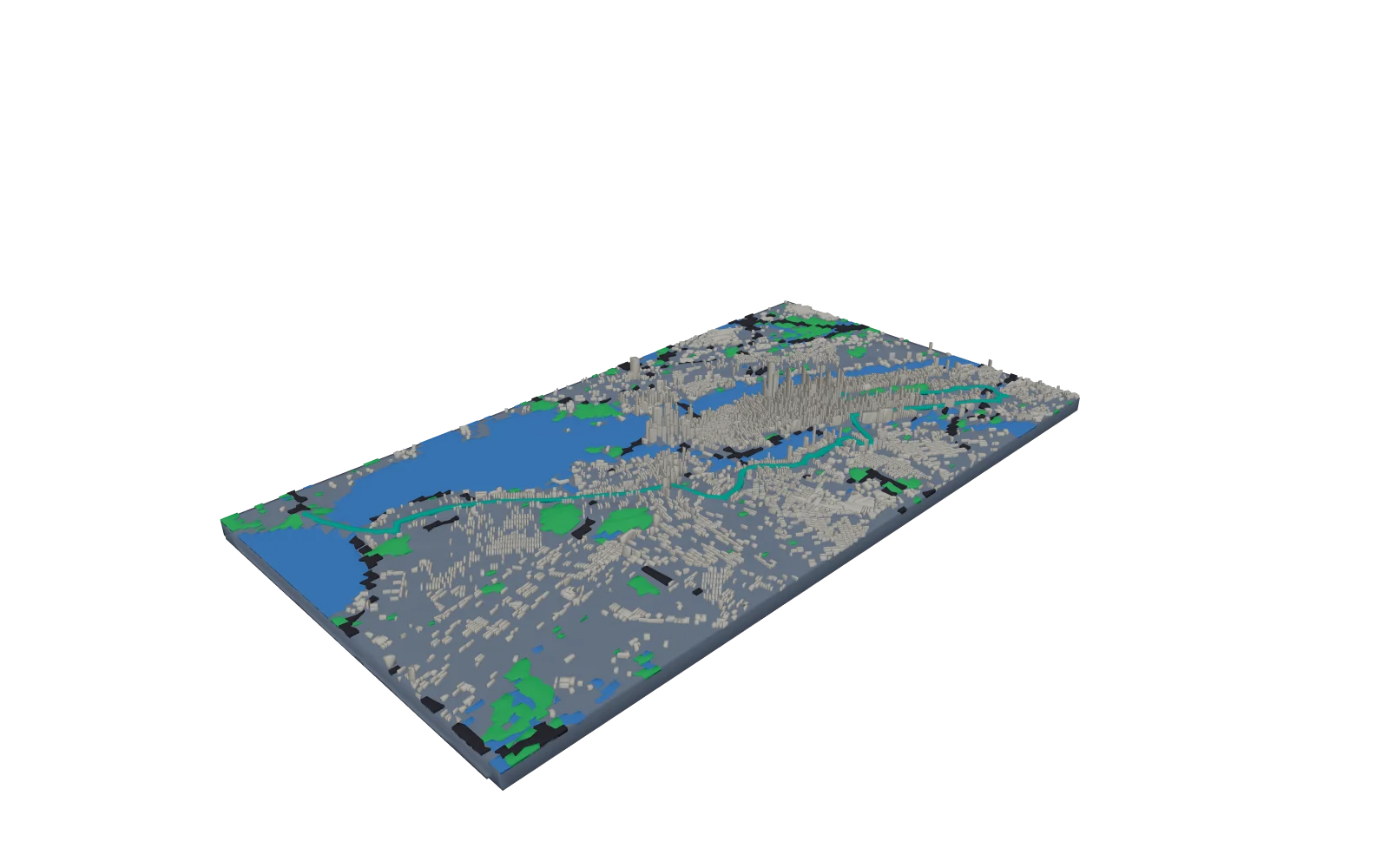
New York City Marathon course
- City
- City features on. Over 5 km across, buildings merge into blocks
- Size
- 250 mm, terrain height 6 mm
- Buildings
- 4 times their recorded height
- Base
- Raised elevation profile on the front wall
Shape it in the model studio
The studio regenerates the 3D preview as you change settings, so you can check the relief before you export.
- Shape
- Square, rectangle, circle, oval, triangle, or an outline you draw or upload as KML or GeoJSON. A state or country model follows its outline.
- Size
- Model size sets the longest side in millimeters. Base thickness and border width are separate settings.
- Relief
- Raise or lower the elevation multiplier to exaggerate or flatten the terrain. Smoothing softens the surface, and edge fade slopes the terrain down to a flat base at the edges.
- Detail
- Higher resolution adds mesh detail and takes longer to generate.
- Route
- With a GPX route, emboss or engrave the track, or export it as a separate part.
Where the elevation comes from
Terrain models use elevation data for the selected area. The current public source is Copernicus DEM GLO-30, with GLO-90 for missing tiles. The model studio and download credits identify the source used for your model; you can also upload your own elevation GeoTIFF.
The terrain is sampled on a grid with a set number of points across, so a small area keeps finer detail than a whole state. Detail also depends on the source data for that area.
How to 3D print your topographic map
- Step 1
Choose the area
Search a place, enter coordinates, or pick a country or US state, then choose the 3D Terrain Model.
- Step 2
Set size and relief
Set the base shape and Model size to fit your printer. Auto (printable) relief suits most places; choose Exaggerated to lift flat land.
- Step 3
Generate the files
Select Review & export, tick STL, 3MF or both, and generate. $0 is accepted at checkout.
- Step 4
Slice and print
Import the file in millimeters, keep it flat on its base, and use the print settings below.
Print settings
Starting points for an FDM printer. Check the dimensions and the layer preview in your slicer before you print.
- Nozzle
- 0.4 mm, the usual default. City buildings are made at least 1 mm wide and roads at least 0.6 mm so they print with it.
- Layer height
- 0.12 to 0.16 mm for gentle hills and plains, where thin layers smooth the steps between elevations. 0.2 mm is fine for steep mountains.
- Supports
- Usually none. Print the model flat on its base, the way it is exported.
- Infill
- 10 to 15% is plenty for a display piece. Add a few top layers if gentle slopes show gaps.
- Size
- 200 mm on the longest side by default, from 50 to 500 mm. Import in millimeters, because STL stores no units. For a model larger than your bed, split it into tiles under Printing; they join with bowtie keys.
- Color
- Use 3MF to give a separate route, water or city layer its own filament. With one extruder, add filament changes at chosen layer heights in your slicer for color bands by elevation.
3MF keeps the terrain and any separate route or city parts together as one object, so each part stays in place and can be printed in its own color. STL is the widely supported choice for a single-material print. A GLB file is included for viewing on the web and in AR.
Map to STL explains what each file contains and how resolution changes the mesh.
Replacing Map2Model? Compare its terrain and city workflows with Printed Canyon.
Questions about 3D topographic maps
Do you ship 3D printed topographic maps?
No. Printed Canyon makes the digital model files. Print the map on your own 3D printer or take the files to a printing service. Printing, materials and shipping are not included.
Is this a free 3D map generator for 3D printing?
Yes. You can generate a 3D map and download its print files for $0: downloads are pay what you want, and you do not need an account. For areas up to 30 km across you can also add buildings, roads, water and greenery.
How do I make a 3D map of a place?
In the creator, choose Search a place and search for the place or enter its coordinates. Choose the 3D Terrain Model, adjust size and relief in the model studio, then use Review & export to generate STL or 3MF files for your slicer.
Do I need a GPX file?
No. Search for a place, enter coordinates, pick a country or US state, or start from a curated place. Add a GPX file only if you want your own route on the model.
Can I model a place outside the United States?
Yes. Search for a place or enter coordinates anywhere covered by the available elevation data. Detail depends on the source used and the size of the area; each download credits its elevation source.
How big will the printed map be?
You choose. Model size sets the longest side in millimeters. Pick a size that fits your printer bed, then check the dimensions in your slicer before printing.
What print settings work for a topographic map?
A 0.4 mm nozzle, 0.12 to 0.16 mm layers for gentle terrain or 0.2 mm for mountains, and 10 to 15% infill. Print the model flat on its base; it usually needs no supports.
Can I print the map in several colors?
Yes. Use the 3MF file to give a separate route, water or city layer its own filament, or add filament changes at chosen layer heights in your slicer for color bands by elevation.